How can we help?
Answers about the app, your boat, documents, reminders, services and Mundinautic Pro.
Most viewed:
Is it an emergency at sea?
Don’t wait for a reply here: call 112 (in Spain, also Salvamento Marítimo on 900 202 202) or use VHF channel 16.
Choose a topic
Account and access
Starting without an account, as a guest
Open the app and add your boat without signing up. Whenever you like, create an account with your email and everything you’ve logged moves into it.
Download the appLogging in on another phone or on the web
Log in with the same account and you’ll have your boats, log and documents. If you started as a guest, create your account before switching phones.
Log inDeleting your account
From the app or the website, whenever you like. Your data is deleted, along with the copies of documents saved on your phone.
Delete accountYour boat
Adding your boat in a minute
Type, length and engine. Your engine’s make and model build the log’s plan; your country brings its rules. Fill in the rest whenever you like.
Add my boat on the webAdding another boat or a tender
In the app, tap “Add boat”. Right now you can have several boats for free; later, several boats in one account will be part of Plus.
Sharing the boat with family or your skipper
Invite them by email from your boat’s page and choose their role (skipper, crew, family or professional). They see the log, can add entries and get the reminders.
Share your boatDocuments
Saving a document and letting AI read the dates
Upload the PDF or take a photo. AI reads the expiry date and fills it in; you check it and save. Your reminders come from that date.
Documents and remindersViewing them offline with “Ready to show”
Documents marked “Ready to show” are saved on your phone and open without a connection. Keep the originals on board too.
“Ready to show”Opening a PDF or photo in the viewer
Tap the document: it opens in the app’s viewer, with zoom, and you can share it by WhatsApp or email.
Reminders
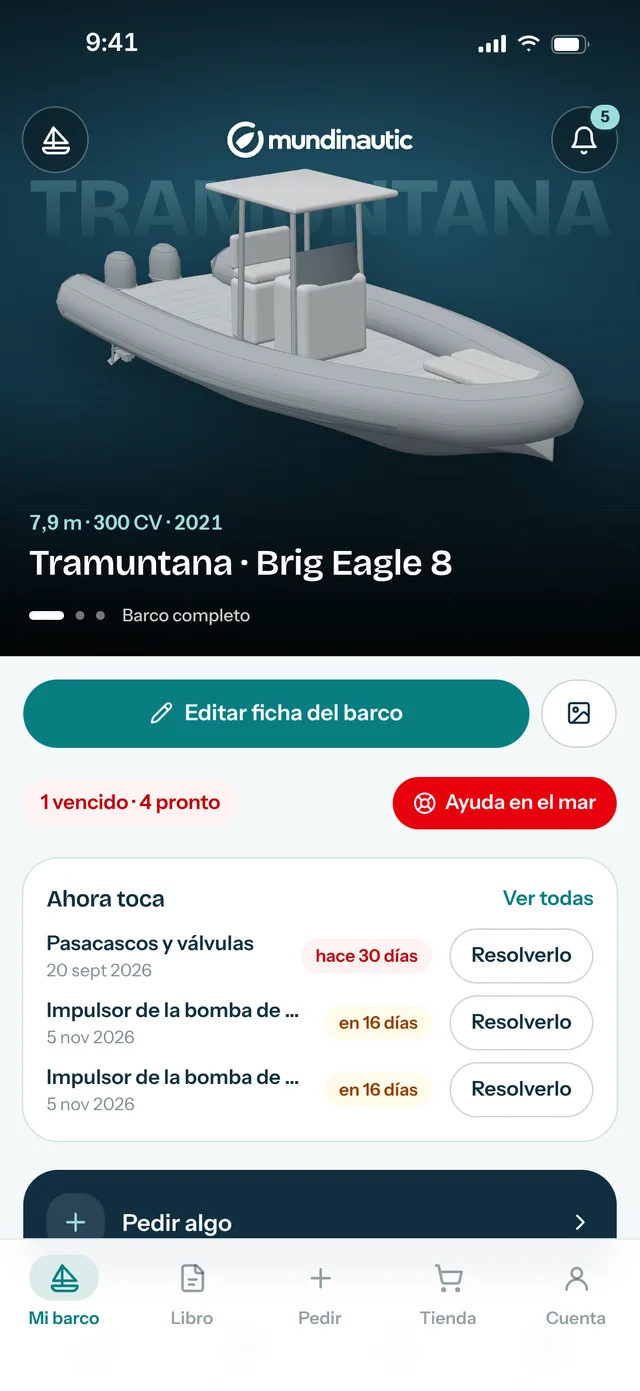
What the app reminds you about, and when
Inspections 90 days before; insurance and papers 30 and 7 days before; flares and safety equipment 60 days before; and log tasks when they’re due.
The full tableTurning on phone notifications
The first time, the app asks for permission to send you notifications. If you said no, turn them on in your phone’s settings under Notifications › Mundinautic.
Changing an expiry date
Open the document or task and change the date: the reminders update automatically.
Requesting a service
How requests work: 3 professionals at most
Say what you need, the port and how urgent it is. Your request goes to 3 local professionals at most and you get their quotes in the app.
Request a serviceWho sees your phone number
Only the professional who accepts your request. The others see it without your contact details.
Help at sea: what to do and who to call
If anyone on board is at risk, call 112 or use VHF channel 16. In the app, “Help at sea” gives you your position, your insurer’s assistance line and an on-call professional.
Help at seaMundinautic Pro
Trying it free for 30 days, no card
Sign up to Pro, choose your trade and use it for 30 days without entering a card. Prices are monthly and exclude VAT.
Discover Mundinautic ProInviting your technicians
In Pro, under Team, invite each person with their role: management, office, technician, contractor or read-only. Technicians use the app, even without signal.
Connecting your customers to their app
Invite the owner or give them your business code: in their free app they’ll see their boat, their work orders, your quotes (which they accept online) and your reports.
Every screen, explained
What each screen of your account and of the links you receive is for, and what the «?» say. On the web and in the app, the «?» next to each screen’s title explains it right there.
What you ask us most
How many professionals does my request go to?
Three local professionals at most. Only the one who accepts the job sees your phone number; the others don’t get it.
Is the app free?
Yes. The app is free and has no ads. Later on there will be a paid Plus plan for people with several boats.
Can I use it without an account?
Yes. You can start as a guest, without signing up, and create an account whenever you like.
How do I share the boat with my family or skipper?
Invite them from your boat’s page: they’ll have the boat details, the log and the reminders on their phone.
Can I see documents offline?
Yes, the ones marked “Ready to show”: they’re saved on your phone and open without a connection, in port, at anchor or during a check at sea.
How do I connect my boat to my yard?
If your yard uses Mundinautic Pro, connect your boat with their code or accept their invitation. You’ll see their work orders, quotes and reports in your app.
What do you do with my data?
It’s stored in the European Union and we don’t sell it. Only you, whoever shares the boat with you and, if you allow it, your professional can see your documents. You can delete your account from the app at any time.
Which languages is it in?
Eight: Spanish, English, French, German, Italian, Dutch, Portuguese and Swedish, with your units (m or ft, hp or kW, litres or gallons) and your currency.
Your boat, up to date and legal
Your maintenance log, documents, reminders before things expire and your country’s rules, on your phone. Free, with no ads.
or start on the web