
Work orders and technical reportsFrom the pontoon to the technical report, with nothing to type up.
The work order opens in three choices, the technician works on it on their phone even with no signal and, when it’s closed, the PDF report is ready in survey format: the boat, what was checked, findings with photos, the work done and recommendations.
- Works offline
- Survey format
- With your logo
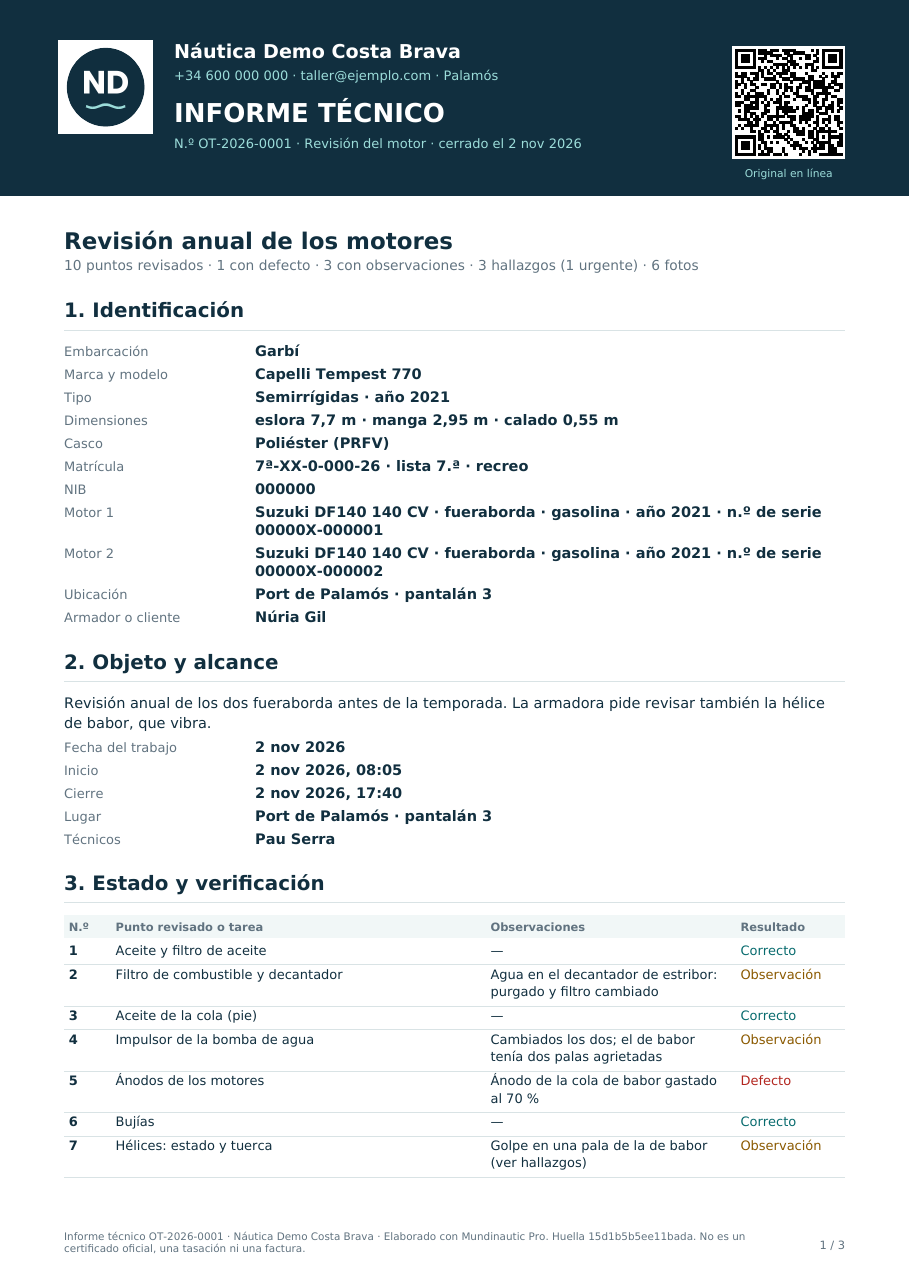

The work order
The same work order in the office and on the pontoon
In the web dashboard, the office creates it, follows it and sends it to the customer. In the app, the technician works on it: checklist, hours, photos, findings and parts.
New in three choices
The boat (search or scan its QR code), the job and who’s going. Everything else is tucked away under “More options”.
The right checklist
Points based on the type of job and the engine; the technician adds whatever else is needed.
A timer for each technician
Work and travel time, with pauses and corrections. The office can log hours too.
Before, during and after photos
They stay with the work order and go into the report’s photo record.
Parts and stock
Parts for the work order come out of stock and the office can see what’s left.
Close-out with a final check
Before sealing, what’s missing: tasks, running timers, after photos, engine hours or signature. It warns you; it doesn’t block you.
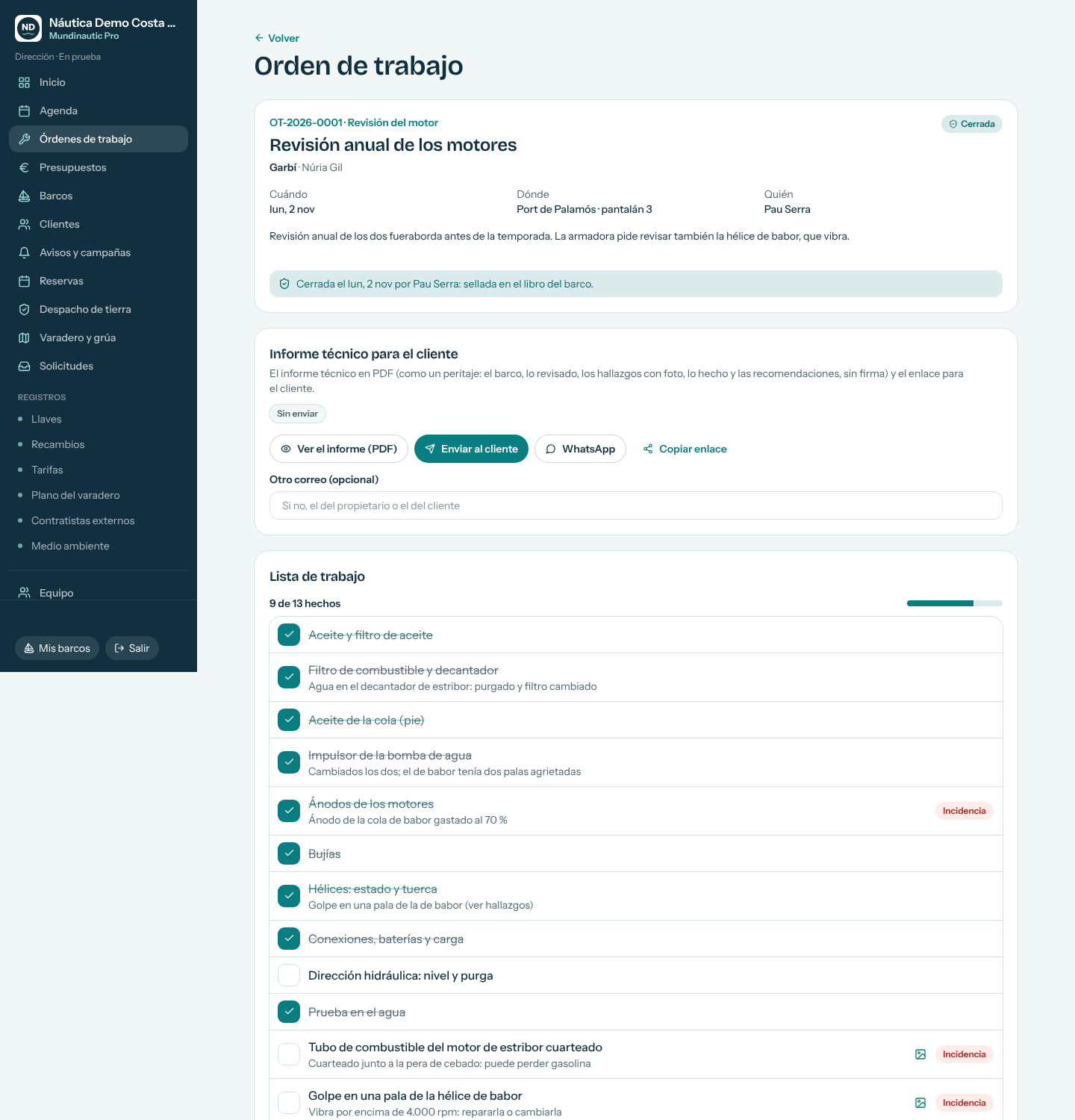
When it’s closed, it’s sealed in the boat’s logbook as work verified by your company.
The technical report
Like a survey, in 8 sections
Only the sections with something in them are included. With your company’s logo, name and contact details, the work order number and a QR code to the online original.
Page 1 of 3
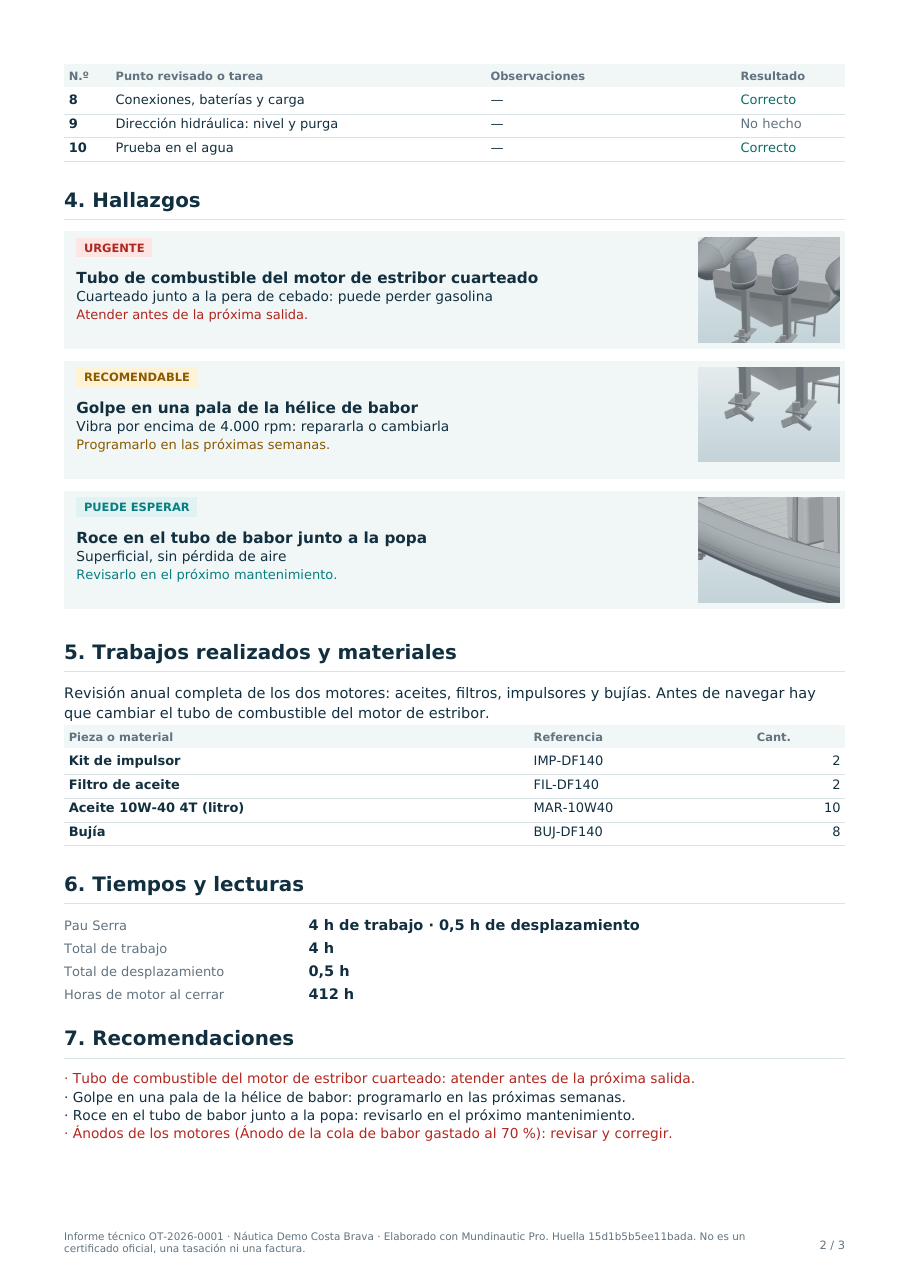
Page 2 of 3
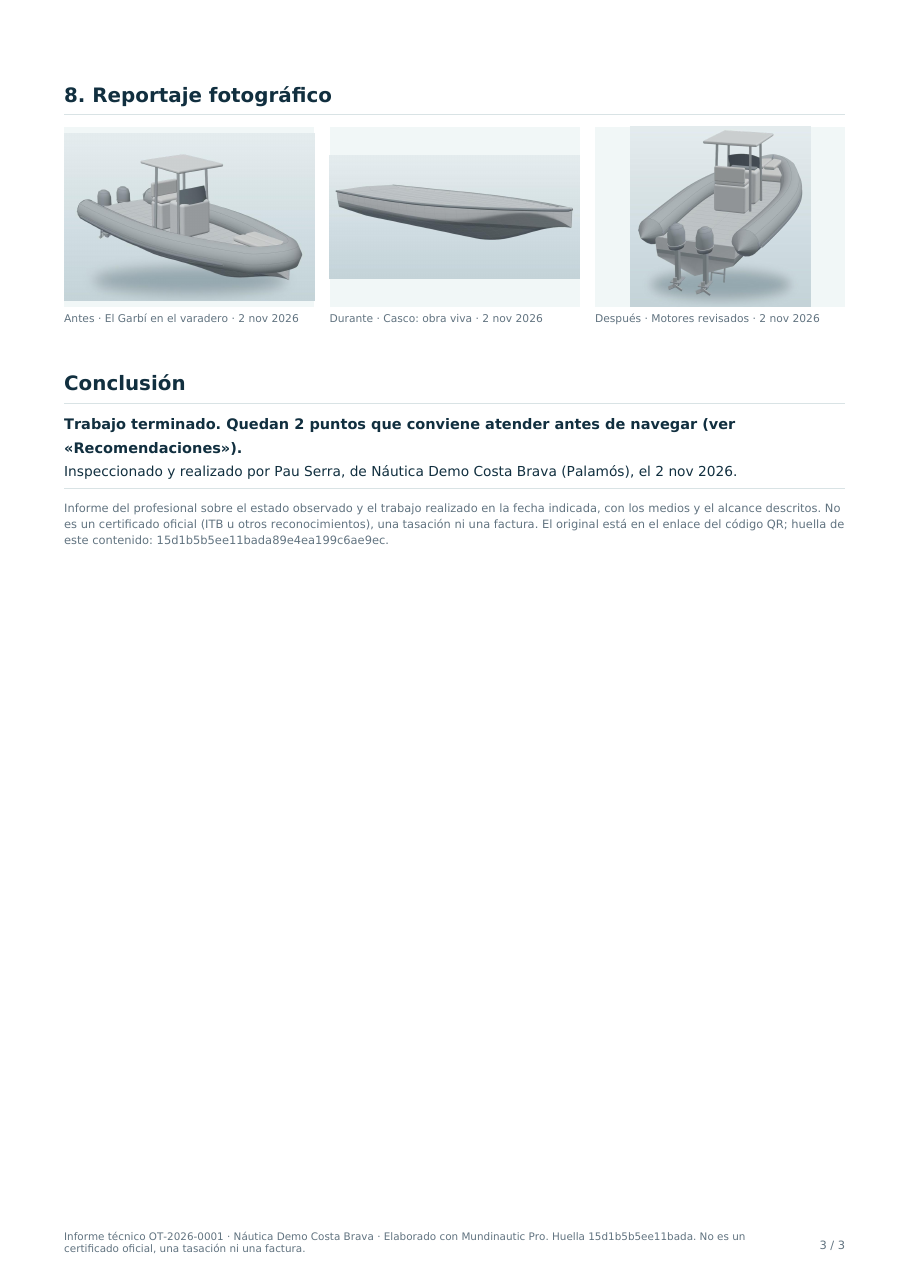
Page 3 of 3
- 1
Identification
The boat, make and model, type and year, dimensions, hull, registration and list, hull ID, each engine with its serial number, where it is and the owner.
- 2
Purpose and scope
What the owner asked for, the date of the work, start and close-out, the place and the technicians.
- 3
Condition and inspection
Each point checked with its notes and result: OK, observation, defect or not done.
- 4
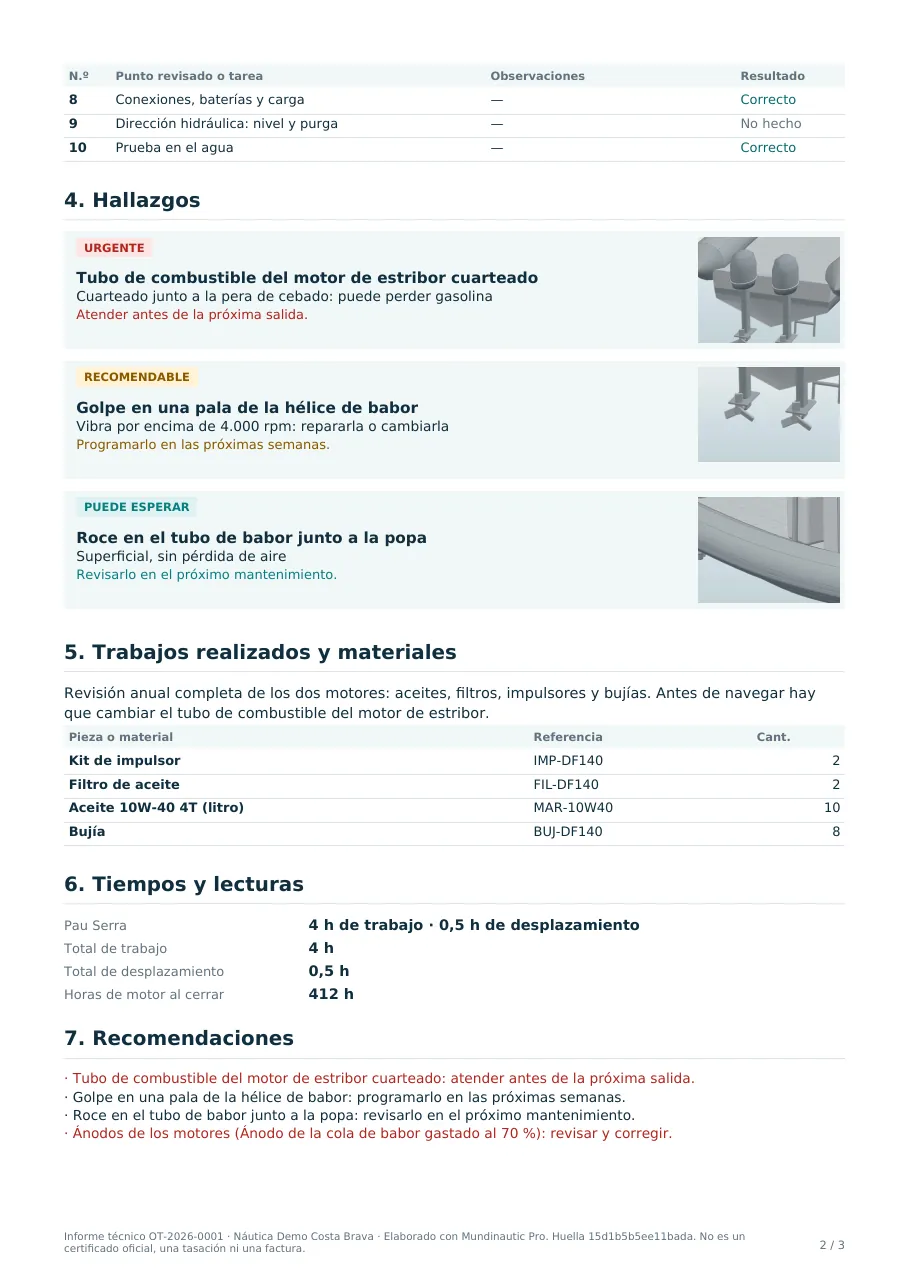
Findings
By priority (urgent, recommended, can wait), each with its photo and what to do.
- 5
Work done and materials
What was done and the parts. Amounts only if your account shows them: it isn’t an invoice.
- 6
Times and readings
Each technician’s work and travel hours, and the engine hours at close-out.
- 7
Recommendations
The findings and defects, with what to do in each case.
- 8
Photo record
Up to 12 photos labelled “Before”, “During” and “After”.
- ✓
Conclusion and who did it
“Work completed. 2 points should be dealt with before sailing” and “Inspected and carried out by…”, with the date. No signatures.
ExampleDemonstration report: the boatyard, the boat and the people are made up. The report is currently produced in Spanish.
Findings
What you find, with a photo and a priority
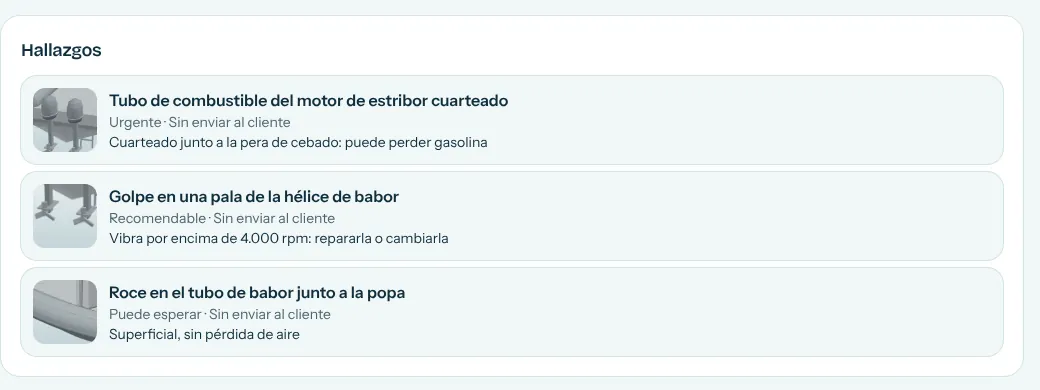
The technician records it on the pontoon with a photo and chooses the priority. The work order shows whether the customer has been told, and the report lists them from most urgent to can wait.
- Urgent
«Deal with it before the next trip.»
It goes into the recommendations and the conclusion: the owner knows they shouldn’t sail like that.
- Recommended
«Schedule it in the coming weeks.»
The usual way to prepare the next quote.
- Can wait
«Check it at the next service.»
It’s on record, so nobody forgets it at the next visit.
From phone to PDF
The report, from the pontoon
In the closed work order, the “Technical report in PDF” card opens the viewer: view it, download it or share it by WhatsApp or email.
Technical report in PDF
Like a survey: the boat, what was checked, findings with photos, the work done and recommendations. No customer signature.
- The customer (with their link) and the owner (in their app) get the same report.
- Notifications and emails say “Technical report OT-… from your company”, in each customer’s language.
- It’s generated on the server: you need a connection to view it, and without one the app tells you.
Online approval
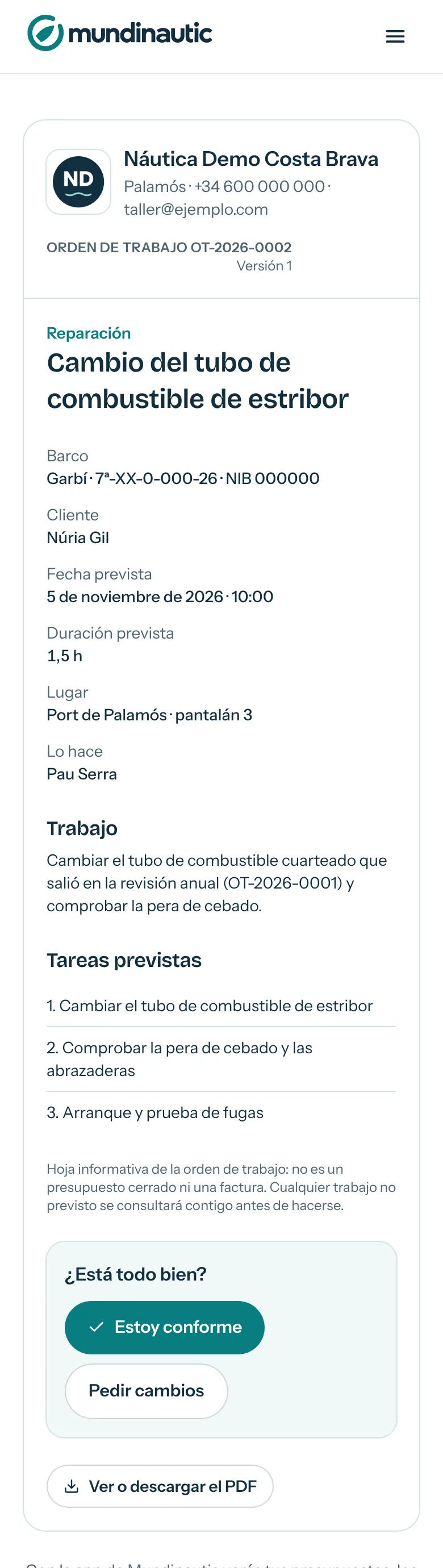
Before you start, the customer gives their approval
While the work order is open, you send them the sheet with a link: they read it, download it as a PDF and approve it or ask for changes.
- Your company receives their approval with their name, date and time.
- If they ask for changes, you send them a new version of the sheet.
- The sheet is for information: it isn’t a fixed quote or an invoice, and anything unexpected is checked with them first.
- At close-out, the PDF becomes the technical report: with no printed signature or approval.
It isn’t an official certificate, a valuation or an invoice
The report is your company’s statement of what it saw and did. For an insurance claim or a sale, the insurer or the buyer may ask for a report from a qualified surveyor. The PDF footer says so.
It isn’t
- An official certificate (ITB or similar)
- A valuation
- An invoice
It does include
- A QR code to the online original
- A fingerprint of the content
- Who did it and when
Produce your first technical report this week
30 days free, no card needed. Open a work order, work on it on your phone and close it: the report is created for you.
Would you rather we showed you? Book a demo or WhatsApp us on +34 604 179 659.
- 30 days free, no card needed
- Web dashboard and app for iPhone and Android
- Import customers and boats from a CSV
- Data kept in the EU, with a processing agreement